Cert-X-Gen / open sourceCXG v1.4.0 / built with Rust

Pentest as code.
Write it. Run it. Replay it.

Write security tests as executable templates in 12 languages, run them against your targets, and keep evidence you can replay after every fix.

What is Cert-X-Gen?

Cert-X-Gen runs your security checks as code.

Most scanners ask you to describe a vulnerability in their own rule format. That works for a version banner or a single request. It falls short when the check has to hold a conversation with the target, speak a binary protocol or pick its next step from the last reply. Cert-X-Gen lets you write that check as a template, in YAML when it is simple and in Python, Go, Rust, C or another of its twelve languages when it needs real code. cxg runs it against your target and records a verdict for every run, with evidence behind every finding: confirmed redis-unauthenticated-python → 10.0.4.12 Fix the issue, replay the same template, and the verdict changes. And when the target is an app you build, cxg pentest goes further. An AI agent reads your source, writes the probes itself and runs them logged in as your users. Every check becomes a test you can run again after the next release.

How Cert-X-Gen runs a check: template, target, verdict, replayA template, written in YAML or real code, sits at the top. An arrow labelled run points down to your target, a host, URL or binary. An arrow labelled report points down to the verdict and its evidence: confirmed or refuted. A loop labelled replay goes from the verdict back up to the template, because after a fix you run the same check again.TemplateYAML or real codeRunYour targethost, URL or binaryReportVerdict and evidenceconfirmedrefutedReplay
Two ways to test

Scan with templates, or let an AI agent pentest your app.

Cert-X-Gen ships two workflows in one binary. Template scans test infrastructure you point them at. The AI pentest starts from your source code and tests the app it builds.

Template scans

cxg scan

Run checks written as code against hosts, files of targets, CIDR ranges or URLs. Use the community template library or write your own in YAML or any of twelve languages.

You need: A target you are allowed to test.

$ cxg scan --scope 10.0.4.12 --templates redis*.py
How cxg scan works

AI pentest

cxg pentest

An AI agent reads your source, writes a probe for each threat in your threat model and runs every probe logged in to your running app. Each threat ends confirmed, refuted or ambiguous.

You need: Your repository with a GuardLink threat model, and a running web or Electron app.

$ cxg pentest run --codebase ./repo --target https://staging.app --auth admin --ai --goal "test for IDOR"
How cxg pentest works
See it run

One command, many targets, findings by severity.

A scan picks templates by glob, tag or severity, runs them across a host, a file of targets, a CIDR range or a URL, and writes a report you can keep.

cxg scanexample output
$cxg --version
cxg v1.4.0 • 209 templates • Built with Rust + Tokio
$cxg scan --scope targets.txt --templates redis*.py --severity high --severity critical
 ██████╗███████╗██████╗ ████████╗     ██╗  ██╗      ██████╗ ███████╗███╗   ██╗
██╔════╝██╔════╝██╔══██╗╚══██╔══╝     ╚██╗██╔╝     ██╔════╝ ██╔════╝████╗  ██║
██║     █████╗  ██████╔╝   ██║  █████╗ ╚███╔╝█████╗██║  ███╗█████╗  ██╔██╗ ██║
██║     ██╔══╝  ██╔══██╗   ██║  ╚════╝ ██╔██╗╚════╝██║   ██║██╔══╝  ██║╚██╗██║
╚██████╗███████╗██║  ██║   ██║        ██╔╝ ██╗     ╚██████╔╝███████╗██║ ╚████║
 ╚═════╝╚══════╝╚═╝  ╚═╝   ╚═╝        ╚═╝  ╚═╝      ╚═════╝ ╚══════╝╚═╝  ╚═══╝
cxg v1.4.0 | 209 templates (py: 79, yaml: 49, sh: 40)
[00:00:14]53/160
→ 192.168.1.100:6379 • redis-unauthenticated.py
→ 10.0.0.50:6379 • redis-info-leak.py
[00:00:32]107/160
→ 172.16.0.25:6379 • redis-rce-cve-2022-0543.py
✓
[00:00:52]160/160
✓ Scan complete, 160/160 targets • 3 templates • 52.4s
FINDINGS BY SEVERITY
CRITICAL: 2HIGH: 5MEDIUM: 3LOW: 1INFO: 4
Results written to: scan-results.json
$
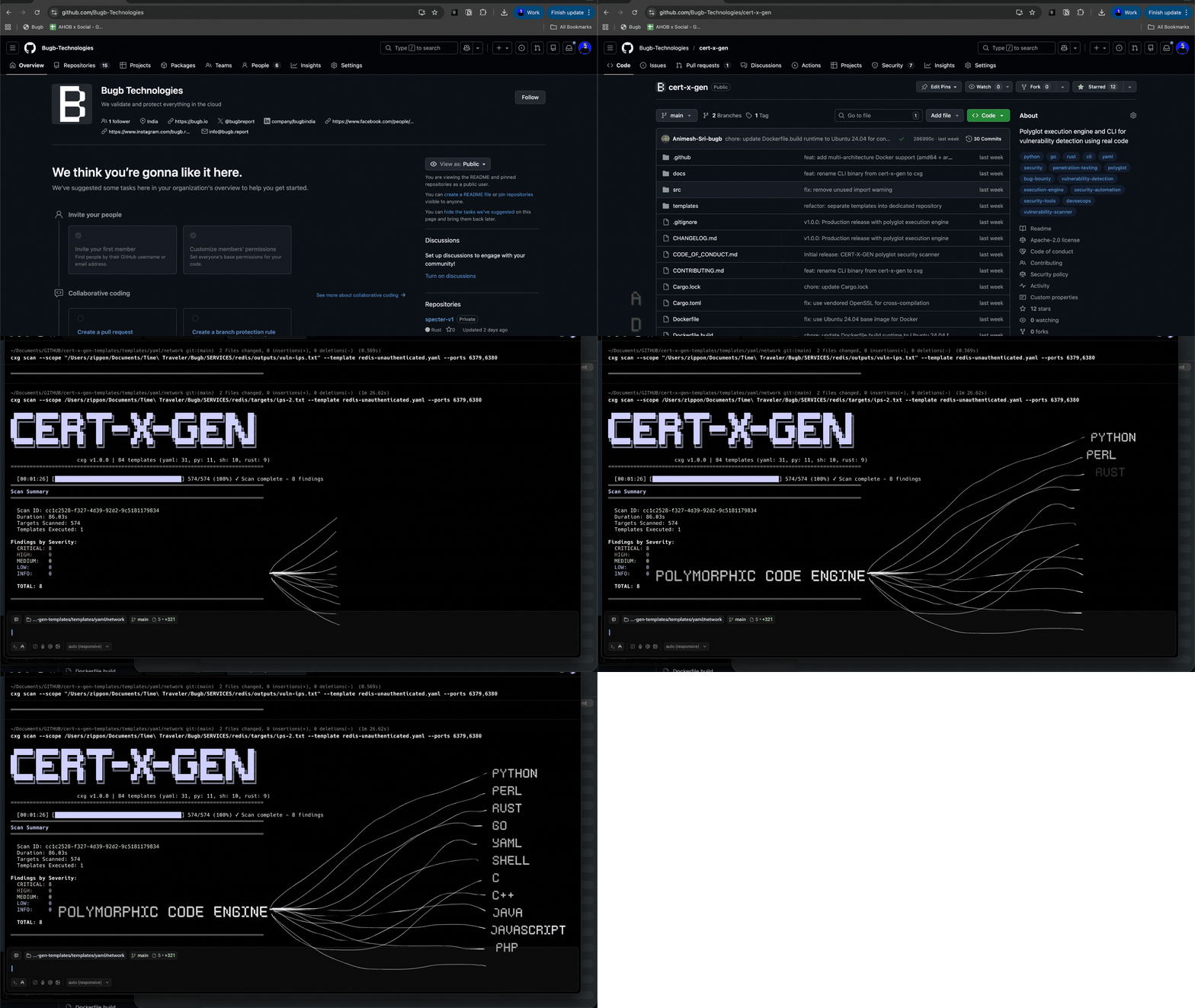

Example output: hosts, timings and findings are illustrative.

  • Parallel by default

    Templates and targets run in parallel, with rate limiting.

  • Templates in Git

    cxg template update pulls the library. Your own templates live in your own repository.

  • Five report formats

    JSON, SARIF, HTML, CSV and Markdown, several at once if you like.

  • Made for CI

    Exit codes and SARIF output, so a pipeline can fail on a finding.

Recording: the cxg CLI
Recording of the cxg CLI running a template scan in a terminal
Why code

Some checks are programs.

A rule file can match a banner or a single response. Many real vulnerabilities need more than that. Cert-X-Gen runs the check as code, so it can do whatever the protocol demands.

Template generation

Describe the check in plain English.

cxg ai generate writes a template from a prompt, in the language you pick, and validates it before saving. Ollama is the default and runs on your own machine with no API key.

cxg ai generate
$ cxg ai generate "detect Redis without authentication" --language python --model qwen3.8
[ollama/qwen3.8] Generating template...
✓ Template generated and validated
→ templates/network/redis-unauthenticated.py
Language: Python | Severity: high
$ cxg ai generate "find JWT none algorithm bypass" --provider anthropic --model claude-opus-5-5 --language rust
[anthropic/claude-opus-5-5] Generating template...
✓ Template generated and validated
→ templates/web/jwt-none-alg-check.rs
Language: Rust | Severity: critical

Providers

  • OllamaLocal, the default
    qwen3.8, gpt-oss:20b
  • Anthropic
    claude-opus-5-5, claude-sonnet-5-5
  • OpenAI
    gpt-6-astra, gpt-6.1-sol
  • DeepSeek
    deepseek-v4-pro, deepseek-flash

Open models Ollama runs locally

  • Qwen
  • gpt-oss
  • Gemma
  • Llama
  • Mistral
  • DeepSeek

Pick any model your provider serves with --model.

AI pentest

An AI agent pentests your app, from your own source code.

cxg pentest runs the whole test by itself. Point it at a repository with a GuardLink threat model and a running copy of the app, give it a goal, and it reads the code, writes the probes, runs them as your real users and writes down what it proved.

  1. Read the threat model

    Loads the threats GuardLink recorded in your code, from its SARIF export and the annotations themselves.

  2. Rank against your goal

    Scores every threat against the goal you give it in plain English and keeps the ones worth testing.

  3. Write a probe per threat

    An AI coding agent opens your route handlers, validators and middleware, then writes a probe for that exact code.

  4. Run it logged in

    Runs the probes in parallel browser sessions, one per user you captured, so an IDOR test runs as the low-privilege user.

  5. Record a verdict

    Classifies every result as confirmed, refuted or ambiguous, and retries an ambiguous one with a new payload when the payload was the problem.

cxg pentest
# Log in once, in a real browser
cxg pentest auth --target https://app.example.com --profile admin

# Rank the threats, write the probes, run them logged in
cxg pentest run --codebase ./repo --target https://app.example.com \
  --auth admin --ai --ai-provider claude \
  --goal "test for IDOR in the records and transactions APIs"
~/.cert-x-gen/sessions/pentest-<timestamp>/
report.json findings split three ways
confirmedrefutedambiguous
audit.jsonl every request and every verdict

Every finding carries the GuardLink threat it tested, so guardlink hypothesis confirm --from-scan report.json writes each result back next to the code it is about.

Safety rails

  • Any login

    Capture a session by logging in yourself in a real browser. SSO, MFA, magic links and OAuth popups all work.

  • A scope that binds

    A scope file sets allowed methods and URLs, request budgets and a stop after repeated server errors. An unreadable scope file stops the run.

  • Built for CI

    Replay a saved session without a browser. With --ci, an expired session fails the job, so it never probes logged out.

  • Web and desktop

    Tests web apps through Chromium and Electron apps over their own IPC channels.

Agents that write the probes

  • Claude Code
  • Codex
  • Gemini CLI
  • Anthropic API
  • OpenAI API

The Claude Code, Codex and Gemini CLIs need no API key.

For AI agents

Give your agent a security toolkit.

cxg mcp serves twelve tools over the Model Context Protocol. One command finds the clients on your machine and configures them.

$ cxg mcp install
Detects installed clients and configures them.

Clients it sets up

  • Claude Desktop
  • Claude Code
  • Cursor
  • Windsurf
  • VS Code with Copilot
  • Zed

Works with any MCP client

  • Antigravity
  • Codex
  • Gemini CLI
  • Cline
  • Roo Code
  • Kiro
  • Goose
  • Amp
  • Trae

For these, add cxg mcp as a stdio server in the client's MCP settings.

Twelve MCP tools

  • cxg_scanRun security scans against targets
  • cxg_ai_generateGenerate templates from natural language
  • cxg_searchSearch templates by query and filters
  • cxg_template_listList available templates
  • cxg_template_infoGet detailed template information
  • cxg_template_createScaffold a new template
  • cxg_template_writeValidate and save a template
  • cxg_template_testTest a template against a target
  • cxg_template_validateValidate template syntax
  • cxg_template_statsGet collection statistics
  • cxg_template_updatePull latest templates
  • cxg_template_get_notesGet AI generation guide
New in 1.4.0

Instrumented builds.

cxg build compiles your target with sanitizers switched on, so a scan reports what actually broke inside it.

cxg build

Builds a compiled target with sanitizer instrumentation, so a scan reports what the sanitizer saw instead of guessing from output. Point a scan at the build with the cli:// scope.

$ cxg scan --scope cli://$(cxg build --instrument --project . -q)
From a scan to a verdict

Cert-X-Gen is the probe. Bravos runs the whole loop.

Bravos, Bugb's whitebox pentesting product, drives two open-source tools we build. Point it at a repository and it writes a threat model into your code with GuardLink, attacks a running copy of your app through Cert-X-Gen with real logins, and ends every threat with a verdict and the reason for it.

  1. GuardLink

    Annotate

    Writes a threat model into your code: the assets, the threats each one is exposed to, and how data flows between them.

  2. Cert-X-Gen

    Probe

    Attacks the running app. Bravos runs every probe through Cert-X-Gen, as the user each test calls for.

  3. GuardLink

    Write back

    Confirmed findings become @confirmed annotations beside the vulnerable line, on a branch you can review or revert.

Every threat ends with one of four verdicts, each with its reason. A threat Bravos could not reach stays open instead of reading as clean.

  • confirmed
  • refuted
  • mitigation held
  • not tested

Want to see the first half on your own code? Send a public GitHub repository and the Bugb team runs GuardLink on it, then emails you the threat model it finds. It is a starting threat model from reading the code, not a penetration test.

Community

Cert-X-Gen is open source. A star helps it travel.

It costs nothing and takes one click, and for a project this size it does two useful things.

Other teams find it
GitHub search, topic pages and trending lists all weigh stars. Each one makes Cert-X-Gen easier to find for the next team looking for a scanner that runs real code.
The maintainers know it is used
Stars tell us people rely on it. Issues and templates tell us what to build next, so if a check is missing, an issue or a template is worth even more than a star.

Other ways to help

21stars on GitHub today

Star on GitHub

Opens the repository. The Star button is at the top right.

Get started

Install it and run your first scan.

Install the CLI, pull the templates, then scan a target you are allowed to test. No configuration needed to start.

  1. Install cxg
  2. Update templates
  3. Scan

Choose an install method

  • Cargocrates.io, recommended
    cargo install cert-x-gen
  • HomebrewmacOS and Linux
    brew tap bugb-technologies/cxg && brew install cxg
  • Install scriptA pre-built binary for your platform
    curl -fsSL https://raw.githubusercontent.com/Bugb-Technologies/cert-x-gen/main/install.sh | bash
  • DockerNo toolchain needed
    docker run --rm ghcr.io/bugb-technologies/cert-x-gen:latest --help

Then run your first scan

$ cxg template update && cxg scan --scope example.com

Templates install into ~/.cert-x-gen/templates/. Pass --scope a host, a file, a CIDR range or a URL.